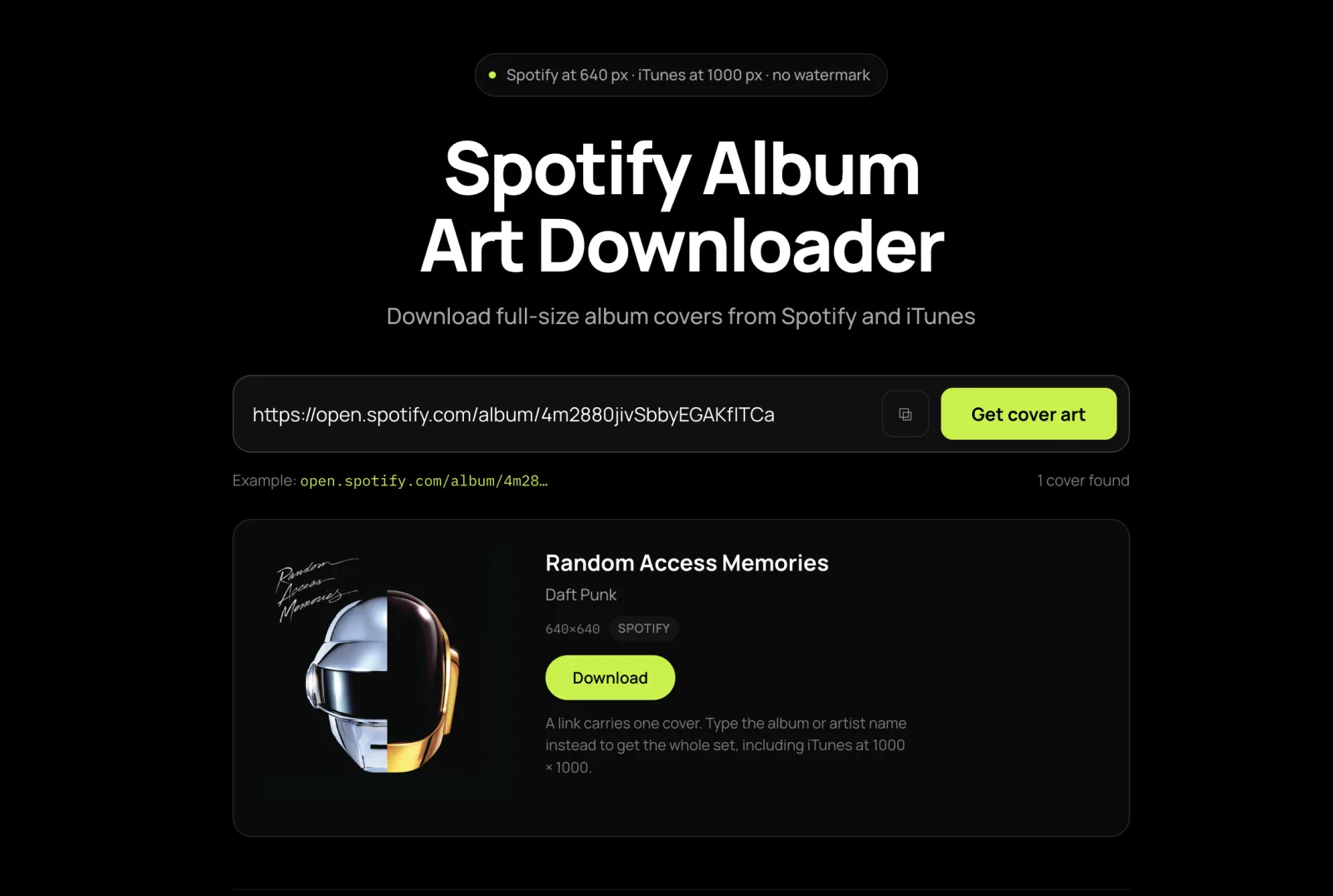
Spotify at 640 px · iTunes at 1000 px · no watermark
Spotify Album Art Downloader
Download full-size album covers from Spotify and iTunes
Free, or pay once and be done
Thank you
Free
$0no card, no account
- One track per press — pick a row and go
- 300 tracks a day
- 320 kbps MP3, ID3 tags, cover art, .lrc lyrics
- Every link type, and the cover art tool
- One file per track, saved as each lands
Supporter One-time
$4.90+once — yours for good
- A whole playlist in one press, any size
- The finished batch as one ZIP, in one press
- No daily limit — nothing counting down
- Same 320 kbps MP3 — no quality tier
- Pay once — yours for good, not a subscription
The whole list is unlocked on this browser — tick as many rows as you like, send them in one pass, take the lot as one ZIP when it lands, and nothing counts down. If it keeps being useful, sharing it does more than paying twice would.
Step by step
How to download album art from Spotify online, free — 3 steps
A link if you have one, a name if you do not.
01
Paste a link, or type a name
An album, track or playlist link works. With no link, type an artist and album name and both catalogues are searched at once.
02
Check the release
Each result shows its source and size. Remasters and regional pressings carry different covers, so match the release year to your files.
03
Save the full-size image
The original file, unmodified and unwatermarked, named Artist - Album.jpg. A playlist saves every unique cover in it, one at a time.
Sizes
Album art sizes: 640 px from Spotify, 1000 px from iTunes
Two catalogues, two ceilings. Which one to ask is the same decision as how big an image you need.
| Source | Largest image | Good for |
|---|---|---|
| Spotify link | 640 × 640 | Screens, library artwork, anything displayed digitally |
| iTunes / Apple Music search | 1000 × 1000 | Print at small sizes, CD inserts, and older releases Spotify does not carry |
640 × 640 is a hard ceiling on Spotify’s side, so no tool can produce more than that from a Spotify link. Three times to ask Apple instead: you need it bigger than 640 px, the release predates streaming — Apple’s catalogue reaches further back and covers more regional pressings — or you are repairing an Apple Music library, where Apple’s version of the artwork is the one the rest of your library expects.
No link needed
Find a cover by name across Spotify and iTunes at once
An iTunes artwork finder and a Spotify one in the same box: type a name and both catalogues answer side by side.
| What you type | What comes back |
|---|---|
| Artist and album | Both catalogues at once, each result labelled with its source and pixel size, so you pick the bigger one on sight |
| The artist alone | Their releases to browse — the reliable move when you only half remember a compilation or soundtrack title |
| A Spotify link | That release directly, at 640 × 640, with no searching involved |
| A playlist link | Every unique cover in it, deduplicated and named Artist - Album.jpg |
Searching both in one query is the point: Spotify has near-complete coverage of anything currently streaming, Apple often holds the larger file and a slightly different catalogue, and you do not have to guess which to try first. Nothing here needs an account, and nothing counts against a quota.
Six things it does
Why this album art downloader
Sizes and filenames, with the figure attached to each.
Both catalogues at their ceiling
Spotify gives 640 × 640 and iTunes 1000 × 1000, with every result labelled by its own source and size.
Never upscaled or re-compressed
Images are passed through unmodified and unwatermarked. No number here was produced by interpolation.
No link needed, no guessing
Type an artist and album name and both catalogues answer side by side, so you never have to guess which to try first.
A whole playlist in one paste
An album appearing on six tracks is fetched once. A 100-track playlist typically yields 40 to 70 distinct covers.
Named so you can tell them apart
The difference between a usable archive and sixty files called cover.jpg that you open one at a time to identify.
Does not touch the audio quota
No account, no watermark, and saving artwork never spends the daily track budget that applies to audio.
The usual reason people come here
How to fix missing album art in your music library
A grey square where the artwork should be, usually across the older half of a library. Save the image here, then do one thing per destination.
| Where the library lives | What to do with the saved image |
|---|---|
| Music (macOS) or iTunes (Windows) | Select all the album’s tracks → Get Info → Artwork → drag the image in → OK. Selecting the whole album first is what makes it one drag instead of twelve |
| Android, or any local player | Rename it cover.jpg and drop it in the album’s folder — no tag editing at all. If the old blank persists, clear the player’s cache or trigger a rescan |
| foobar2000 or MusicBee | Same file, same place: cover.jpg or folder.jpg in the album folder is what both look for first |
| Plex or Jellyfin | cover.jpg in the album folder, then refresh the library — neither picks it up until you do |
| One loose MP3 | A tag editor such as Mp3tag or Kid3: paste the image into the cover field and save. Faster than fixing a whole library one file at a time |
On copyright: cover art belongs to the artists, labels and photographers who made it. Saving a copy for your own library, for organising your music, or for reference is ordinary use. Publishing it, selling it or putting it on merchandise is not, and needs permission from the rights holder. Full terms are in the terms of service.
FAQ
Album art downloader FAQ
Ten, each answered in its first sentence — including the sizes to build to if you are making a cover rather than fixing one.
What is the largest size available?
640 × 640 from a Spotify link — that is the maximum Spotify stores — and 1000 × 1000 from the iTunes catalogue. If you need artwork above 640 px, search by artist and album name instead of pasting a Spotify link, and take the iTunes result.
Can I get a 3000 px or 4K cover?
Not from Spotify, and not from any tool that reads Spotify: 640 px is a hard ceiling on their side. A site offering you a “4K cover” upscaled a 640 px image, which is a 640 px image with extra blur. Nothing here is upscaled, re-compressed or watermarked — what you save is the original file, byte for byte.
Does it work with Apple Music and iTunes albums?
Yes. Type an artist and album name with no link at all and both catalogues are queried at once, with each result labelled by source and size. Apple’s catalogue reaches further back and holds more regional pressings, so it is often the one that answers for older releases.
Can I download the covers for a whole playlist at once?
Yes. Paste a playlist link and every unique album cover in it is listed, deduplicated, named “Artist - Album.jpg”. A 100-track playlist usually yields 40 to 70 distinct covers. They save one at a time rather than as a ZIP, so allow your browser to save several files when it asks.
How do I find a cover when I only half remember the name?
Search the artist alone and browse what comes back. Compilation and soundtrack titles are the most commonly mistyped, so the artist is the more reliable half to type.
Which result do I pick when there are several?
Check the release under each one before saving. Remasters, deluxe editions and regional pressings frequently carry different covers, and a name search usually returns several — pick the release year that matches your files, or you end up with the 2011 remaster’s artwork on a 1997 rip.
What filename do local players expect?
cover.jpg or folder.jpg, sitting in the album’s own folder. That is what most Android players, foobar2000, MusicBee and Plex look for first, and dropping the file in works without touching a single tag. Plex needs a library refresh afterwards before it picks the image up.
Is there a watermark, a sign-up or a daily limit?
None of the three. Images are passed through unmodified, there is no account, and saving artwork does not spend the daily track budget that applies to audio. Save as many covers as you like.
What size should I make my own album cover?
A 3000 × 3000 px square master, which satisfies every distributor’s upload requirement and downscales cleanly. Keep it 1:1 from the start, JPEG or PNG in RGB under 10 MB, and never below 640 × 640 or it looks soft in Spotify’s own player. Playlist covers are looser — a 300 × 300 JPEG under 4 MB is accepted.
Why does small text disappear from my cover?
Because covers are displayed at 64 px in lists, where small text vanishes entirely and anything near the border is clipped by rounded corners. A test worth doing: save the covers of five records that sound like yours, line them up at 64 px, and see which ones still read.
Elsewhere on this site
The audio side of the same catalogue, for when you want more than the picture.