One track link · 320 kbps MP3, tags already inside
Spotify Song Downloader
Download a single Spotify song as MP3, one press per song
Free, or pay once and be done
Thank you
Free
$0no card, no account
- One track per press — pick a row and go
- 300 tracks a day
- 320 kbps MP3, ID3 tags, cover art, .lrc lyrics
- Every link type, and the cover art tool
- One file per track, saved as each lands
Supporter One-time
$4.90+once — yours for good
- A whole playlist in one press, any size
- The finished batch as one ZIP, in one press
- No daily limit — nothing counting down
- Same 320 kbps MP3 — no quality tier
- Pay once — yours for good, not a subscription
The whole list is unlocked on this browser — tick as many rows as you like, send them in one pass, take the lot as one ZIP when it lands, and nothing counts down. If it keeps being useful, sharing it does more than paying twice would.
Step by step
How to download a Spotify song — 3 steps
Copy one link, check it is the take you meant, keep the file.
01
Copy the song’s link
In Spotify: right-click the track — three dots on a phone — then Share → Copy song link. In the web player the address bar already holds it. What you want starts open.spotify.com/track/.
open.spotify.com/track/…
02
Paste it in the box above
A /track/ link opens as that one song. An /intl-de/ prefix and a ?si= tail are both handled, so paste it exactly as Spotify gave it to you. No link to hand? Type the song and artist instead and pick it out of the results.
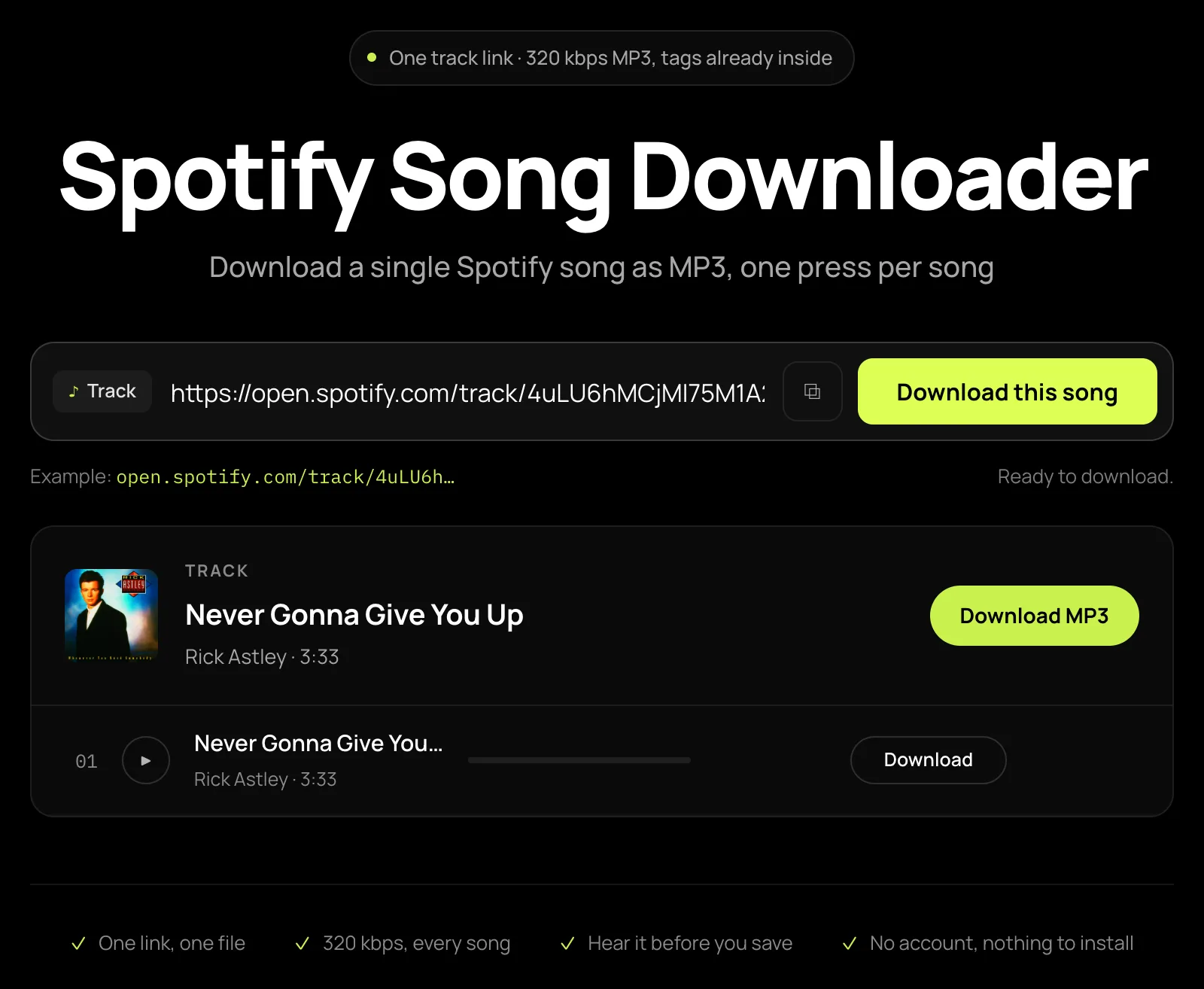
03
Press play, then download
The row plays the finished MP3 at full length, so you hear the take before it lands. Press Download and the file arrives named Artist - Title.mp3, tags and cover already inside it.
Artist - Title.mp3
The file
What one Spotify song downloads as
Everything you get when you save a Spotify song as MP3 here, settled before you press.
| Format | MP3, no picker |
|---|---|
| Bitrate | 320 kbps, every file, no setting |
| Size | ≈ 9 MB for a four-minute song |
| File name | Artist - Title.mp3 |
| Tags | Title, artist, album, track number (ID3v2) |
| Cover art | Embedded, 640 × 640 |
| Lyrics | .lrc beside the file, where synced lyrics exist |
| What a press costs | One track of the 300 free a day |
| Account | None, and no Premium |
When it is the wrong take
A Spotify song that matched a live version, a remix or a cover
The failure worth having a plan for, because on one track you can see it immediately.
The link identifies the recording; the audio is then found on a public source and matched back by title, artist and length. Most of the time that lands on the studio take. When it does not, the row fails rather than guessing — and a failed row is not a dead end.
It stays on screen with the recordings the matcher refused, each labelled with how many seconds it runs from the length Spotify declares, so a live cut sitting ninety seconds long is obvious at a glance. Under them is a search box already holding the query that failed. Rewrite it — the artist’s own spelling is usually the fix, because a romanised name searches a pool the artist is not in — press Search again, then Use this on the take you recognise.
For a row that did match, the check is the play button: it plays that MP3 at full length, not a thirty-second preview, and nothing is written to your disk until you press download.
One out of many
Download one song out of a playlist, album or artist page
You do not need the track’s own link to take a single track.
One song
- Paste any link — track, album, playlist or artist.
- The full track list opens; nothing is queued yet.
- Press Download on the one row you want.
- That track alone is fetched, and it costs one press.
The whole list
- Tick the rows instead of pressing one of them.
- A free press takes one track, so a long list is a long evening of presses.
- One payment sends the ticked rows in a single pass and packs them into one archive.
- What that costs, and how the files arrive
Six things it does
Why this Spotify track downloader
Every cell is about one track, which is the case the rest of this site treats as the small one.
The free path ends here, not halfway
A single track never meets the supporter gate. Paste, press, take the file — as many times as the daily figure of 300 allows.
Hear it before it lands
The row plays the converted MP3 itself rather than a thirty-second preview, so a live take and a studio one are told apart before you save.
A miss still leaves you a choice
A failed row lists the recordings the matcher refused with each one’s length difference, and the search box holds the query that failed for you to rewrite.
One bitrate, no picker
Every file is a 320 kbps MP3, about 9 MB for four minutes. No format menu means nothing to get wrong before you press.
Tags and cover already inside
Title, artist, album, track number and the embedded cover are written into the file, with an .lrc beside it where synced lyrics exist.
No account, nothing to install
It runs in the browser — no app, no extension. There is no login field on this page and no Spotify credentials are asked for.
FAQ
Spotify song downloader FAQ
Eight, each answered in its first sentence. Copyright, privacy and takedowns are on the legal pages in the footer.
Can I download just one song from Spotify?
Yes, and one song is exactly what a free press takes — paste a /track/ link, press Download, and that single MP3 lands. Nothing else is queued, nothing is bundled, and there is no gate on the way: a single track is the whole free path, up to 300 tracks a day.
What quality is a single track?
Every Spotify song to MP3 here comes out at 320 kbps, with no format or bitrate picker — a four-minute song is about 9 MB. That figure describes the encoder, not the master: a file cannot end up better than the recording it was matched from, which is why the row plays at full length before you save it.
Are ID3 tags and cover art included?
Yes, written into the file itself: title, artist, album and track number as ID3v2, plus the cover embedded at 640 × 640, which is the largest size Spotify serves. Where synced lyrics exist, an .lrc file is saved beside the MP3. Any music library or car stereo sorts the file the moment you drop it in.
The song I got is a live version. Can I pick a different one?
When a row fails to match, it stays on screen with the recordings the matcher refused, each labelled with how far its length is from the studio one, and a search box holding the query that failed. Retype it — the artist’s own spelling usually fixes it — press Search again, then Use this on the take you recognise. A row that matched can be played first, so the check happens before the file lands rather than after.
Can I download one song out of a playlist?
Yes. Paste the playlist link and the whole list opens with a Download button on every row; press the one you want and only that track is fetched. If you want the whole thing instead, the playlist page covers what that costs and how the files arrive.
Is there a Spotify song downloader app for Android or iPhone?
Yes, in the phone’s own browser — there is no app and no APK to install. On Android the MP3 lands in Downloads, and most players only index Music, so move it there. On iPhone it lands in the Files app; open it there or use Share → Copy to VLC, which reads the tags and artwork properly.
Is there a daily limit on single songs?
Free use is 300 tracks a day from one address, and each press of a row spends one of them — playing a row that has not been fetched yet spends one too, because playing it is what fetches it. A one-off payment stops that figure applying to you and lets one press take a whole list; the MP3 itself is identical either way.
Do I need Spotify Premium or an account?
Neither. There is no login field on this page, nothing here asks for Spotify credentials, and Premium changes nothing about what a public track link does. The audio is not taken from Spotify’s own stream — the link identifies the recording, and the file is produced from a public source matched to it.
More than one song at a time
The same downloader pointed at a longer link, plus the file specification and the artwork tool.