✓No ads✓No account✓Nothing to install
Spotify Downloader
Download Spotify songs, playlists, and albums as high-quality MP3 files.
Get SpotMP3 Desktop free for a better download experienceDownload
Help us keep SpotMP3 ad-free and smooth for everyone.
The short version
What Is SpotMP3 Spotify Downloader?
SpotMP3’s Spotify downloader turns the music you choose into MP3 files you can keep on your device. Start with one song, select tracks from a public playlist or album, or explore an artist’s available releases.
Use a Spotify link to open a result, or search by song or artist name when you do not have a URL. Full-length playback lets you check a recording before saving it.
MP3 downloads from SpotMP3 include track information and cover art for compatible music players. Synced lyrics are included when available.
Audio is matched from public sources, so recordings and versions may vary.
Step by step
How to Use SpotMP3 Spotify Downloader?
01
Paste a link or search by name
Enter a public Spotify song, playlist, album or artist link into the Spotify downloader. Search by song or artist name if you do not have a link. Include both the title and artist to help find the right recording when several songs share a name.
open.spotify.com/track/…
02
Choose the music you want
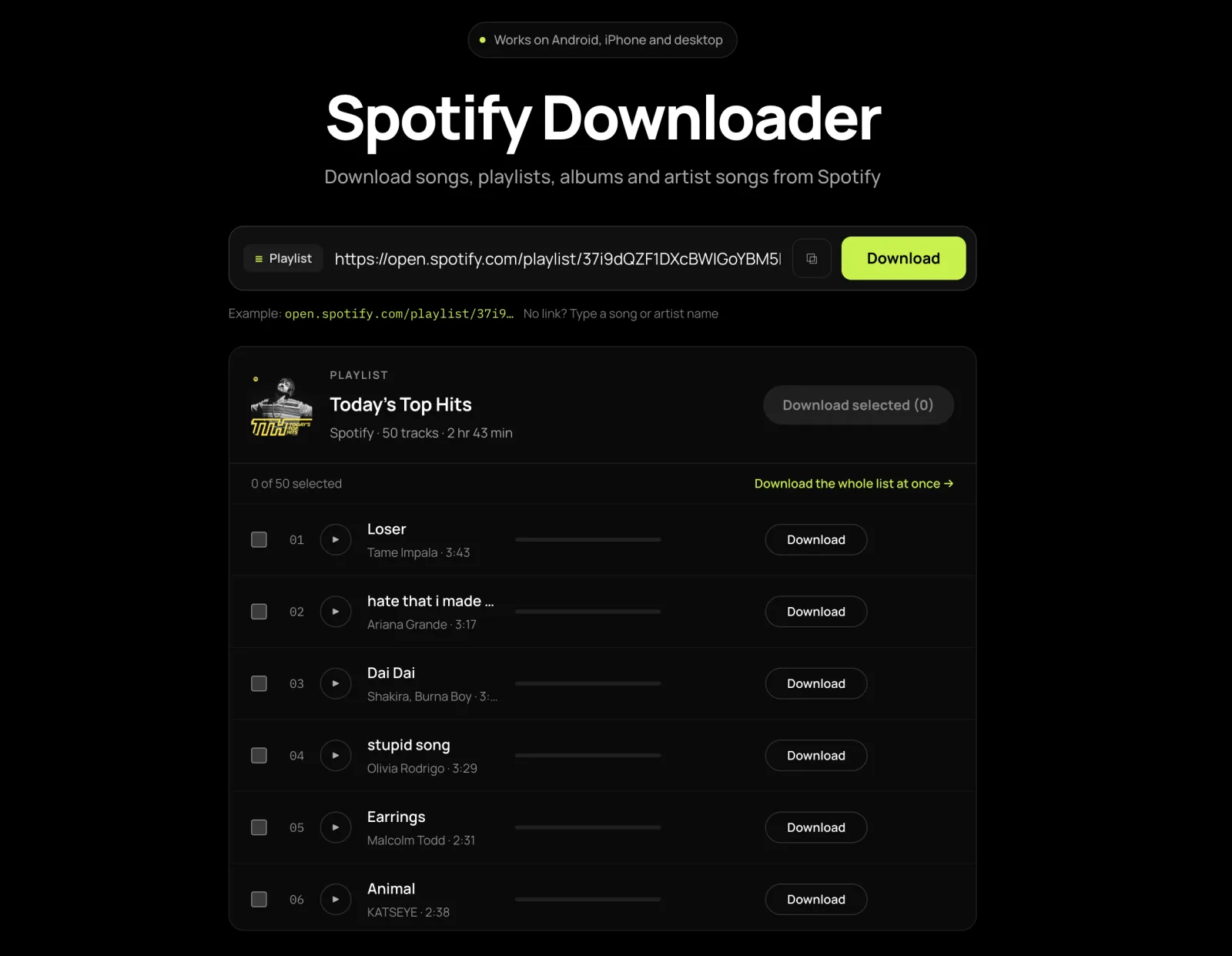
The Spotify downloader opens each result as a track list. Check the artwork, artist and duration, then select the songs you want to save. Choose individual tracks from a collection or select several songs together. Opening a result only loads the list; audio preparation starts when you play or download a track.
03
Download Spotify MP3
Preview songs in the Spotify downloader before saving them, or start the download when your selection is ready. Save each completed MP3 to your device. A song that is ready can be saved while other selected tracks are still processing. If your browser asks to allow multiple files, accept that prompt to save the rest. Free batch and daily allowances are explained in the FAQ below.
Coral Field - Midnight Transit.mp3
Six downloaders, one box
Features of SpotMP3 Spotify Downloader
Download Spotify song
SpotMP3 lets you download a Spotify song from its link or find it by song or artist name. Listen to the full track to check the version, then save a high-quality MP3 with its song details and cover art.
Download Spotify playlist
A public playlist link lets you download songs from a Spotify playlist. Browse the full track list, including songs beyond the first 100, and select the tracks you want as MP3s. Check titles, artists and durations before starting your download.
Download Spotify album
Use the Spotify album downloader to save songs from an album link as MP3s. Your files include the album cover, release details, and track and disc numbers. Compatible players can keep the songs in album order, so the release stays organized in your music library.
Download Spotify artist songs
SpotMP3 brings an artist’s top tracks and available releases into one place. Open an artist link to explore albums, singles and compilations, then download Spotify artist songs as MP3s. You can choose music across releases without finding a separate link for every song.
Download Spotify podcast
SpotMP3 accepts show and episode links and finds audio available from the publisher. Use the Spotify podcast downloader to browse a show or download a specific episode. Files keep their original audio format for offline listening in a compatible audio app.
Download Spotify MP3
Use this Spotify downloader to download Spotify music as MP3 from song, playlist, album or artist links. Your files are high-quality 320 kbps MP3s with tags and embedded artwork, so compatible players can display the title, artist and cover. Save them for playback on phones, computers and other supported devices.
Have an Apple Music link? SpotMP3 also supports Apple Music downloads and Apple Music to MP3 conversion.
Need only the cover image? You can download album art on its own: paste an album link on the album page and press Download cover art, with no audio attached.
Six things it does
Why Should You Use SpotMP3?
Free and ad-free
SpotMP3 keeps its Spotify downloader ad-free, with no banner ads, pop-ups or ads to watch before downloading. No payment card is required to try the free tool. Its batch and daily allowances are explained below.
Entirely online
An online Spotify downloader lets you start in the browser you already use. There is no desktop installer, APK or extension to manage, and no Spotify account to connect. You can move from finding a song to saving its MP3 on the same page.
Search by song or artist
This Spotify downloader lets you search by song, artist or album name without opening Spotify to copy a link. Add an artist’s name when a title brings up several recordings. Artwork and track details help you choose a result before you spend time preparing a download.
Play before you download
Use the Spotify downloader to hear the full recording before deciding to keep it. Full-length playback lets you check more than the opening seconds. Listen for the singer, arrangement or version you expected, then save the song if the match is right.
High Quality MP3 Audio
This Spotify downloader supplies music as high-quality 320 kbps MP3s, with song information and cover art included. Your downloads are ready to browse in a compatible music player, without renaming every file or adding artwork yourself. The quality of the recording depends on the matched source.
One page, every device
Use the Spotify downloader on Android, iPhone, Windows or Mac. You do not need a separate version for each device. Downloads use your browser’s usual save process, and the FAQ explains where to find files on mobile and how to handle permission prompts.
FAQ
SpotMP3 Spotify downloader FAQ
Is this Spotify downloader safe and free to use?
SpotMP3’s free Spotify downloader requires no account, payment card or software installation. You do not need to provide your Spotify password, and there are no ads to watch before downloading. Free access allows up to three tracks per batch and a daily allowance of 30 tracks per IP address. Playback uses the same allowance. Free music downloads are still 320 kbps MP3s with tags and cover art.
What type of content can I download with this Spotify downloader?
The Spotify downloader supports public tracks, playlists, albums and artist pages. Artist results include top tracks and available releases. Podcast episodes have their own downloader page, and an album’s cover image can be saved on its own: open the album and press Download cover art. A playlist must be publicly accessible for its contents to load. You can choose individual songs from a collection, so opening a playlist or album does not require you to save every track.
Do I need Spotify Premium or a Spotify account?
No. This Spotify downloader works with public links and search results, so there is no Spotify login step or Spotify Premium subscription requirement. You can start even when you do not have Spotify open: search for music on this page, or paste a public link someone shared with you. SpotMP3’s optional supporter access is separate from Spotify Premium and is not required to use the free tool.
What audio quality do I get, and are tags and album art included?
The Spotify downloader saves music as 320 kbps MP3 files with ID3v2 tags and embedded album artwork. Track information helps compatible players display the title, artist and album. A four-minute track is roughly 9 MB. Synced lyrics are supplied as a separate .lrc file when available. SpotMP3 matches audio from public sources: the bitrate describes the output file and does not guarantee Spotify’s original recording or lossless audio. If a particular version matters, listen before you save it.
Which devices work, and where do the files go on Android and iPhone?
The browser-based Spotify downloader works on Android, iPhone, Windows and Mac. On Android, check Downloads or the folder selected in your browser. On iPhone, open Files and look in your browser’s download location. A browser download does not automatically appear in the Music app or your Spotify library. Open it in a compatible MP3 player instead. If several tracks finished but only one saved, check whether the browser blocked multiple downloads and allow the remaining files.
Can I listen to a track before downloading it?
Yes. Press play on a track to hear the full matched MP3 before saving. Use this Spotify downloader to check the recording, duration or version rather than relying only on the title. Playback fetches the audio and therefore counts toward the free allowance, even if you decide not to save it afterward. Opening a search result alone does not fetch the audio.
Why was my link rejected, and why is a track missing?
The Spotify downloader accepts links to specific songs and collections. Copy the item’s share link rather than Spotify’s search-results address, and check that a playlist is public. Search by name if the link is not accepted. A missing track can mean a suitable audio match is unavailable. Read the status shown for that track, then retry when offered or choose another recording. Other songs in the collection may still finish, so check their individual download status.
It says downloads are still running, or that I hit the daily limit.
Wait for the Spotify downloader to finish an active download before starting another. Check the current selection for tracks that are still processing, completed files you can save and any track that needs a retry. The free daily allowance is 30 tracks per IP address and resets at midnight UTC. Devices on the same public IP share it. Preparing audio for download or playback uses the allowance, even if the track later fails. If you reach the limit, wait for the reset. Optional supporter access removes the free-tier daily allowance and offers larger batch selections and ZIP downloads. Spotify Premium does not change SpotMP3’s free limits.
Last updated: 320 kbps · free and ad-free · tags and cover art
- 22 October 2026 — Updated the homepage with clearer tool descriptions, ad-free features, and answers about audio quality, mobile downloads and free allowances.
- 18 August 2026 — First public release: track, album, playlist and artist links, search by song or artist name, the album art tool, and 320 kbps MP3 output with tags and cover art.