✓Search by name✓Hear it first✓No ads
Spotify Song Downloader
Download Spotify songs to MP3, free and online.
Help us keep SpotMP3 ad-free and smooth for everyone.
Made for one song
What Is SpotMP3 Spotify Song Downloader?
This Spotify song downloader saves a single Spotify song as an MP3 to your phone or laptop. Paste the song link, or type the title and artist when you do not have it.
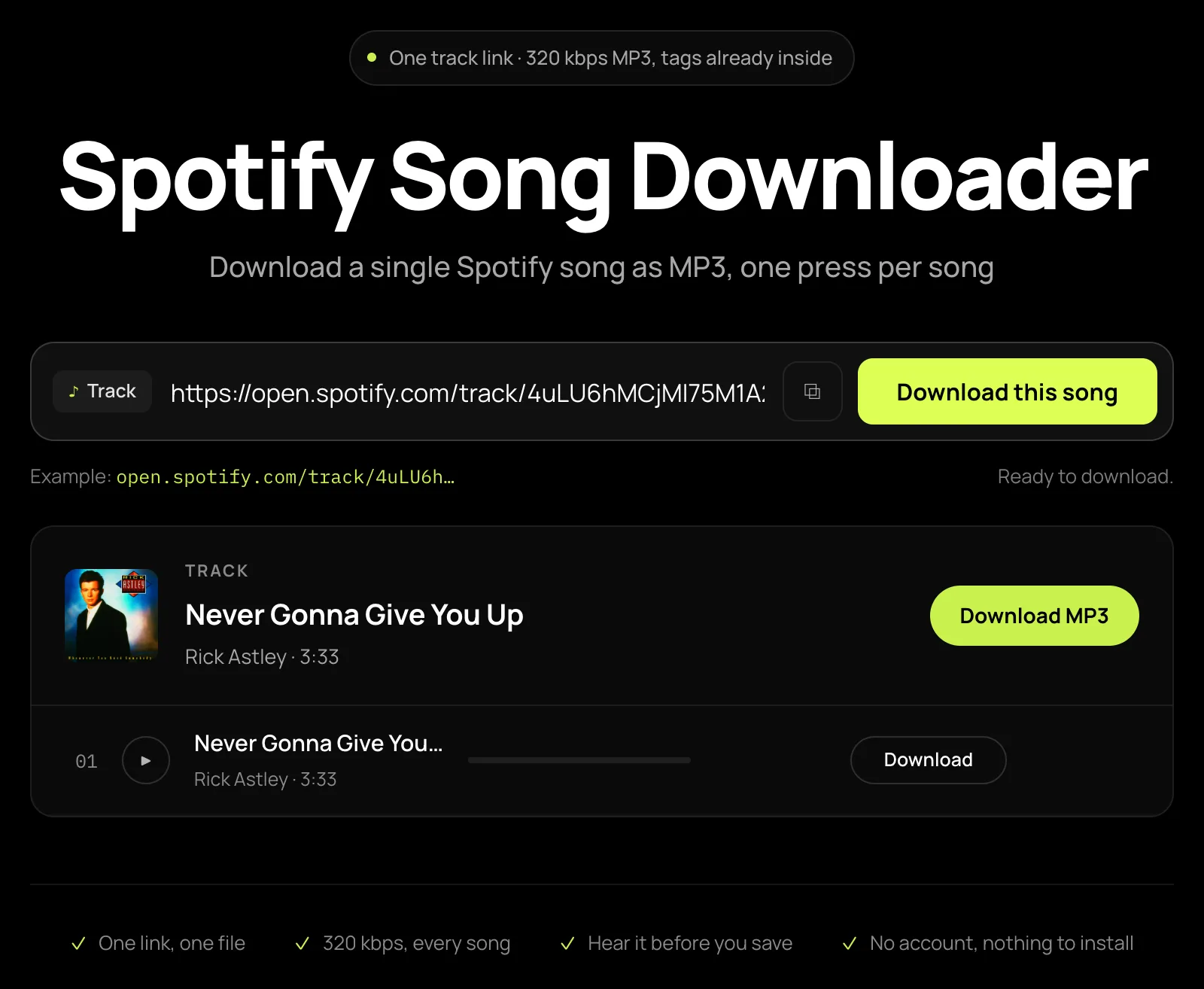
You get one row you can play from start to end, so you can check it is the right version before saving. The MP3 arrives with the song’s name and cover already in place.
Want a whole list instead? Use the Spotify playlist downloader.
Three steps, any song
How to Download Spotify Songs to MP3?
01
Copy the Spotify song link
In Spotify, press the three dots beside the song, choose Share, then Copy song link. No link? Type the song title and the artist instead.
open.spotify.com/track/…
02
Paste it into the box
Paste it into the Spotify song downloader above and press Download this song. The song opens as one row showing the artist and running time, ready to play in full.
03
Download Spotify song to MP3
Click Download MP3. The song lands in your downloads, ready to play in any music app.
Artist - Title.mp3
The song you meant
What Will You Get from Spotify Song Downloader?
Find a Song by Its Name
Only remember the title? Type the song and the artist into the same box and pick the right one from the results. The Spotify song downloader also takes links from the app or website.
Make Sure It Is the Right Version
Sped-up, live and karaoke versions often share a song’s title. Play the full track before you download it, so the version you keep is the one you were looking for.
Pick Another Recording When a Song Is Not Found
If a song cannot be matched, it stays on screen and lists other recordings you can pick instead, each showing how much longer or shorter it runs. Choose the one you recognise, or search again with the artist’s own spelling.
One Song Out of Any Playlist or Album
Only want one song from a playlist, album or artist? Paste that link here and download just that song. To browse an album’s track list, use the Spotify album downloader.
Want the whole playlist?Fixes for common song download headaches
Why Choose SpotMP3 Spotify Song Downloader?
Free, With No Fake Download Buttons
Download Spotify songs here without ads, pop-ups or decoy buttons that open another site. You need no account, and no Spotify Premium either.
Named and Ready to Play
Each song saves under its own title and artist, with the album cover built in, so it is easy to find in your music app or downloads folder. No renaming needed.
High-Quality 320 kbps MP3
Each song comes as a 320 kbps MP3. There is no quality menu, so you never end up with a low-bitrate file by mistake.
Nothing to Install
This Spotify song downloader runs in the browser you already use, on Android, iPhone, Windows or Mac. Nothing to install first, and no extension to add.
For output quality, file sizes and compatible players, see how SpotMP3 converts Spotify music to MP3.
Song questions
Spotify song downloader FAQ
Is this Spotify song downloader free?
Yes, this Spotify song downloader is free, with no ads and no sign-up. Free use covers up to three songs per batch and 30 a day per IP address, and playing a song counts toward the same 30. Supporter access lifts both limits.
Can I download just one song from Spotify?
Yes, you can download just one song from Spotify. Paste its link, press Download this song, then click Download MP3, and you get that one file.
How do I download a Spotify song without the link?
To download a Spotify song without the link, type its title and the artist into the Spotify song downloader, then pick the right song from the results.
I got a live or remix version. Can I choose a different one?
You can choose a different version when a song fails to match: its row lists other recordings, each showing how much longer or shorter it runs. A matched song cannot be swapped, so press play first and only save the version you wanted.
What quality is the MP3?
The MP3 is always 320 kbps, so a four-minute song takes about 9 MB. The audio is matched from public sources, and 320 kbps describes the MP3 you get, not the recording it came from, so listen in full before you save.
Does the song keep its name and cover art?
Yes, the song keeps its name and cover art: title, artist and album are written into the MP3 along with the cover, and a lyrics file comes too when synced lyrics exist.
Can I download a Spotify song on iPhone or Android?
Yes, you can download a Spotify song on iPhone or Android right in your phone’s browser, with no app to install. On iPhone the MP3 goes to the Files app, and on Android it lands in Downloads.
Do I need Spotify Premium to download a song?
No, you do not need Spotify Premium or a Spotify account to download a song. The link only tells SpotMP3 which song you want.