✓Cover art inside✓Album order kept✓No ads
Spotify Album Downloader
Download Spotify albums as high-quality MP3 files.
Help us keep SpotMP3 ad-free and smooth for everyone.
Built for whole albums
What Is SpotMP3 Spotify Album Downloader?
This Spotify album downloader turns a Spotify album into MP3 files. Use it to download Spotify album songs in one go, or pick only the tracks you want.
Search by album and artist or paste a link, and the record opens in its original running order. Every MP3 keeps the album cover and its track number, and box sets past 100 tracks load in full. To find every album by the same artist, paste their link into the Spotify artist downloader.
For a single song, use the Spotify song downloader; for a playlist, the Spotify playlist downloader; for anything else, the Spotify downloader.
Three steps, any album
How to Download Spotify Album Songs as MP3?
01
Copy the Spotify album link
In Spotify, open the album page rather than one of its songs, press the three dots under the album title and pick Share, then Copy link. On a computer, the address in the browser bar works too. Without a link, type the album name and the artist.
open.spotify.com/album/…
02
Paste it into the box
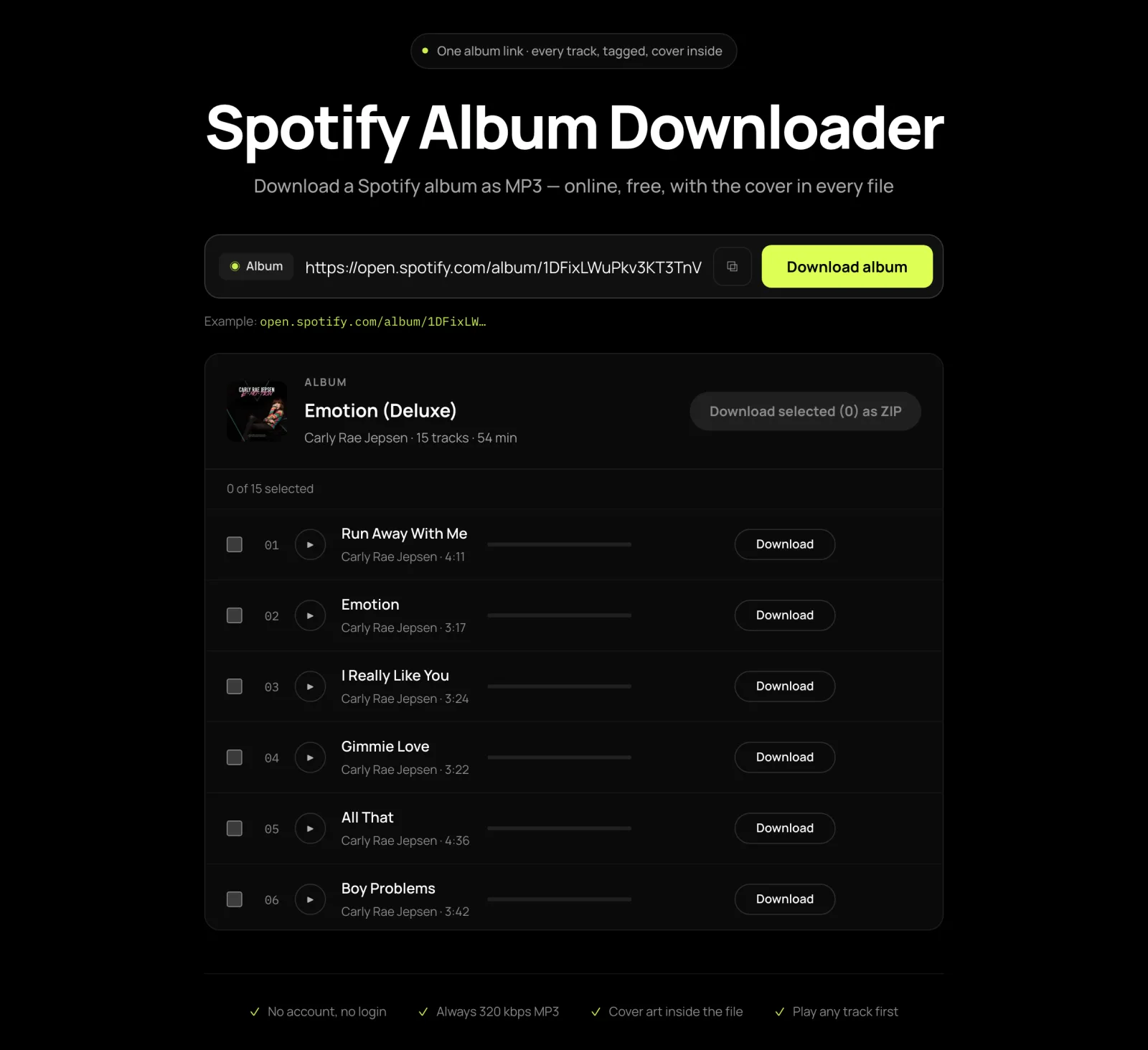
Paste it into the Spotify album downloader above and press Download album. The tracklist opens numbered as on the record, with each song’s length, and any track can be played before you save anything.
03
Download Spotify album to MP3
Tick the tracks you want, or all of them, and click Download selected. Free downloads save each track as its own MP3; supporters get the album as one ZIP. Keep this tab open until the Spotify album download completes, and allow multiple downloads if your browser asks.
Night Drive (Deluxe) · 15 MP3s
The whole record, tagged
What Will You Get from Spotify Album Downloader?
The Whole Album as One ZIP
Download Spotify album songs in one go instead of clicking through the record track by track. With supporter access, the Spotify album downloader hands the whole album back as a single ZIP.
Albums Saved in the Right Order
Every track keeps its track and disc number, so compatible music players can show one complete album in Spotify’s order instead of a scattered pile of singles.
Album Cover in Every Song, or on Its Own
The album artwork is built into each file, not saved beside it, so the cover shows up wherever your player displays artwork. Want just the album art for a music folder or a wallpaper? Press Download cover art above the track list to save the full-size image, named Artist - Album.
Big Albums and Box Sets
Deluxe editions and multi-disc box sets are not cut off at 100 tracks. Press Load more to bring in the rest, and disc two still follows disc one.
Learn more about output quality and file compatibility on the Spotify to MP3 converter page.
Fixes for common album headaches
Why Choose SpotMP3 Spotify Album Downloader?
Free and Ad-Free
SpotMP3’s Spotify album downloader costs nothing and shows no ads, so no click opens a pop-up or sends you somewhere else. There is nothing to sign up for.
Entirely Online
Open this page on your phone or computer and start. There is no app or extension to install.
Hear Every Track Before You Save It
An album can hold remasters, live cuts and bonus versions that look alike in a list. Press play to hear the whole song first, and leave out any version you did not want.
A Failed Track Tells You Why
If one track cannot be found, SpotMP3 says why on that row and offers other recordings or a Retry button, while the rest of the album keeps downloading.
Album questions
Spotify album downloader FAQ
Is there a free Spotify album downloader?
Yes, this Spotify album downloader is free, with no sign-up and no ads. The free plan covers up to three tracks per batch and 30 a day per IP address, and full-length previews count toward the same 30. Supporter access lifts both limits.
Can I download a whole Spotify album as MP3?
Yes, you can download a whole Spotify album as MP3. With supporter access, press Select all and the album comes back as one ZIP file. Free downloads take up to three tracks per batch, each saved as its own MP3.
Does the MP3 come with the album cover in it?
Yes, every MP3 has the album cover built in, so it shows in compatible music players.
Will the songs play in album order?
The songs keep their album order in players that read track numbers, because every MP3 keeps its track and disc number. A player or car stereo that sorts by file name may list them A to Z instead, since file names have no number in front.
Can I get FLAC or WAV instead of MP3?
No, there’s no FLAC or WAV. The audio is matched from public sources that are already compressed, so a lossless file would only be bigger, not better. Every track is a 320 kbps MP3; that figure describes the file you get, not the recording it came from.
Can this Spotify album downloader handle more than 100 tracks?
Yes, this Spotify album downloader handles box sets past 100 tracks. Press Load more to see the rest; Select all only ticks the tracks already loaded.
Are lyrics included with the album?
Lyrics are included when a track has synced lyrics, as a small .lrc file next to the MP3.
I only want the album cover image, not the songs.
If you only want the album cover image, paste the album link and press Download cover art above the track list. It saves the full 640 × 640 cover with no audio, and it does not use up any of your daily songs.