Every file: MP3, 320 kbps, tags and cover already inside
Spotify to MP3
Convert any song, playlist, album or artist link to MP3 online, for free
Become a supporter$9.90 · 30 days$19.90 · lifetime
We pay for spotmp3’s servers and bandwidth ourselves. A one-time contribution covers those bills and keeps the site free and running.
- Whole playlist as one ZIP
- Unlimited downloads
- Download many songs at once
- Fast download lane
Thank you
The whole list is unlocked on this browser — tick as many rows as you like, send them in one pass, take the lot as one ZIP when it lands, and nothing counts down. If it keeps being useful, sharing it does more than paying twice would.
The short version
What Is SpotMP3 Spotify to MP3 Converter?
spotmp3 is a free online converter that turns Spotify songs, albums, playlists and artists into MP3 files you can keep. People use this Spotify to MP3 converter to play their music where Spotify cannot go: a car stereo, a cheap MP3 player, an old iPod or a phone with no signal. It runs in the browser on Android, iPhone, Windows and Mac, with nothing to install.
It is easy to use. Paste any Spotify link, or type a song or artist name, and pick the tracks you want to convert. Every file is a 320 kbps MP3, about 9 MB for a four-minute song, with the title, artist, album, track number and cover art already inside.
Step by step
How to Use Spotify to MP3 Converter?
01
Copy the Spotify link
First, open the Spotify app or website and find the song, album, playlist or artist. Tap the three dots next to it, choose Share, then copy the link.
02
Paste it into the box
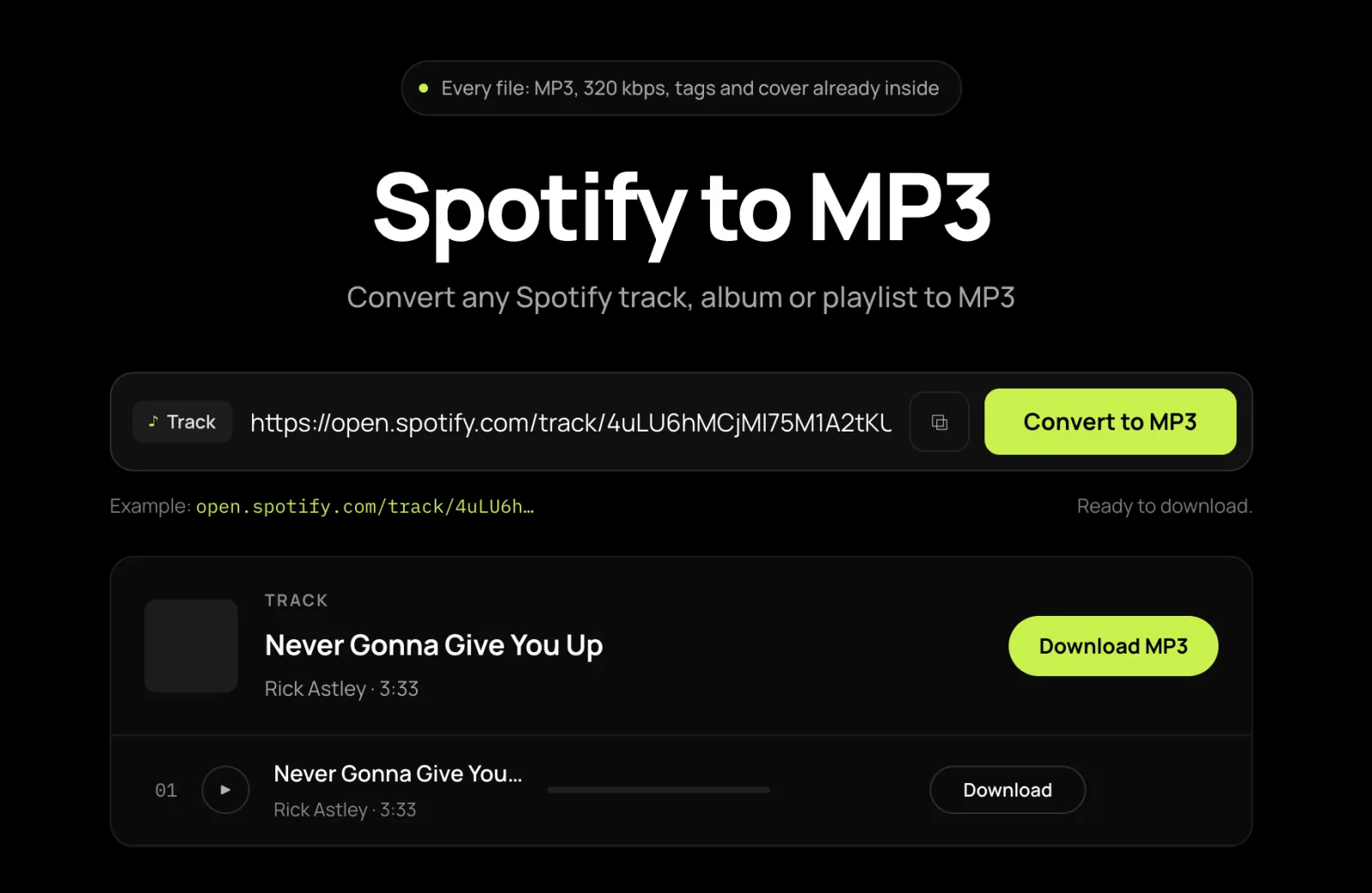
Next, paste the link into the box at the top of this page, or use the quick Paste button, and hit Convert to MP3. No link? Type a song or artist name instead.
03
Download the MP3 files
Simply pick the songs you want and click download. SpotMP3 converts each one to a 320 kbps MP3 and saves it to your device. Allow multiple downloads if your browser asks.
What you get
Features of SpotMP3 Spotify to MP3 Converter
MP3 That Plays Everywhere
MP3 works on car stereos, MP3 players, old iPods and every phone. There is no format to choose, so there is nothing to get wrong.
Tags, Cover Art and Lyrics Built In
Every file has the title, artist, album, track number and cover art inside, plus a .lrc lyrics file when synced lyrics exist.
Just want the cover image?Convert Any Spotify Link
Paste a song, album, playlist or artist link, or search by name. Albums and playlists open as lists, so you convert only the songs you want.
Converting a whole playlist?Six things it does
Why this is the best free Spotify to MP3 converter online
Free, with No Account
No card, no sign-up and no Premium. Convert three songs at a time for free.
High Quality 320 kbps MP3
Every file is 320 kbps, with no setting to change. One song or a hundred, the quality is the same.
Sizes You Can Plan For
A four-minute song is about 9 MB, a 12-track album around 110 MB and a 100-song playlist near 900 MB.
Hear It Before You Save
Play the converted MP3 at full length, not a 30-second preview, to make sure it is the version you want.
Ready for Car Stereos and MP3 Players
Plain MP3 files play on car stereos, MP3 players and phones, with the cover art showing wherever the screen supports it.
Works on Every Device
Convert in Chrome or Safari on your phone or computer. There is no app or extension to install.
FAQ
Spotify to MP3 converter FAQ
Is this Spotify to MP3 converter free?
Yes — no account, no card and no daily limit. Free conversions take three songs at a time, and a supporter key converts a whole playlist in one go as a ZIP. The MP3 is the same either way.
What bitrate are the MP3 files, and how big are they?
320 kbps, every file. A four-minute song is about 9 MB. A file can’t sound better than the recording it was matched from, so play it first if quality matters.
Can I get FLAC, WAV or a lossless copy?
No. You get 320 kbps MP3 only, and no browser-based converter can give you real lossless audio, whatever the button says.
Can I convert just one song from a playlist?
Yes. Paste the playlist link and tick only the songs you want, or paste the song’s own link to get just that one.
Can I hear the MP3 before saving it?
Yes. Press play on any row to hear the full converted MP3, not a 30-second preview. Playing fetches the file, so it counts as one press.
My car stereo shows no music on the USB drive.
Format the drive as FAT32, not exFAT, because many car stereos ignore exFAT. Keeping one folder per album helps too.
How do I keep the playlist order on a car stereo or MP3 player?
Add a number to the start of each file name. Files are named Artist - Title.mp3, and those devices sort by file name.
My Android player cannot see the files.
Move them from Downloads into the Music folder, since most Android players only look there. If they still don’t show, run a media rescan.
Where do the MP3 files go on iPhone?
Into the Files app, under Downloads. Open them there, or use Share → Copy to VLC, which shows the tags and cover art.
Only the first file saved. What happened?
Your browser blocked the rest. Press download again, allow multiple downloads, and keep the tab open until every file saves.
This site publishes no music library. A personal copy of music you already have access to is accepted in many jurisdictions; redistributing it, re-uploading it or using it commercially is accepted in none. Check your local rules and Spotify’s Terms of Service.